
Short answer: If you only sell online, start with Stripe. If you also sell in person at markets, events or a shop counter, use Square so both sides of your business live in one account. Add PayPal as a second button at checkout, not as your only option. That setup covers most veteran-owned online stores, and the rest of this guide explains why, with real 2026 numbers so you can check the math against your own sales.
Picking a payment processor feels like a small setup step. It isn't. It decides how much of every sale you keep, how fast the money hits your bank, what happens when a customer disputes a charge, and whether a buyer trusts your checkout enough to finish the order. A bad pick can quietly cost you hundreds of dollars a year, or freeze your money at the worst possible time.
What a payment processor actually does
When a customer types in a card number on your store, three things have to happen: the card gets checked, the money gets moved, and the funds land in your bank account. You'll hear a few terms thrown around:
- Payment processor: the company that handles the transaction and pays you out. Stripe, Square and PayPal are all processors.
- Merchant account: the account that legally lets you accept card payments. Old-school banks make you apply for your own. Stripe, Square and PayPal give you one automatically when you sign up, which is why they're so popular with small businesses.
- Payment gateway: the secure connection between your store's checkout and the processor. With the big all-in-one providers, the gateway is built in. With a traditional merchant account, you often pay for a separate gateway such as Authorize.Net.
For a small online store, an all-in-one processor is almost always the right call. No application to a bank, no separate gateway bill, no long contract.
2026 online payment fees compared
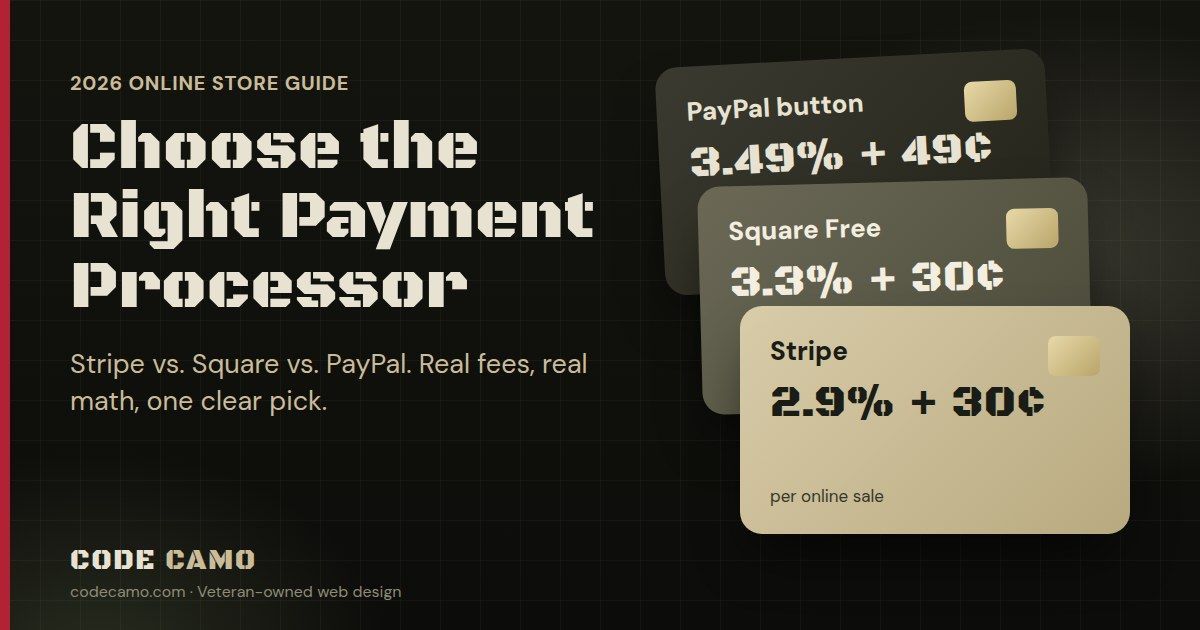
These are the standard U.S. rates for online card payments, taken from each company's own pricing page in October 2026. Providers change their fees, so check their pricing pages before you sign up.
| Processor | Online card rate | Monthly fee | Standard payout | Best for |
|---|---|---|---|---|
| Stripe | 2.9% + 30¢ | $0 | 2 business days (first payout takes 7 to 14 days) | Online-only stores |
| Square (Free plan) | 3.3% + 30¢ | $0 | Next business day | Selling online and in person |
| Square (Plus plan) | 2.9% + 30¢ | $49 per location | Next business day | Busy in-person sellers who want the extra tools |
| PayPal (PayPal button) | 3.49% + 49¢ | $0 | Instant to your PayPal balance | A second checkout option |
| PayPal (standard card payments) | 2.99% + 49¢ | $0 | Instant to your PayPal balance | Sellers already running on PayPal |
| Authorize.Net (all-in-one) | 2.9% + 30¢ | $25 | Varies | Businesses that already have it |
A few extras worth knowing: Stripe adds 1.5% for international cards, and PayPal adds 1.5% on international sales. Stripe charges $15 when a customer disputes a charge, and PayPal charges $20 for a card chargeback. If you want your money faster than the standard payout, Square's instant transfer costs 1.95% and Stripe's instant payout costs 1.5%.
What those fees look like on a real month
Percentages are hard to feel. So here's a store doing 100 orders a month at a $40 average, which is $4,000 in sales:
- Stripe: $146 a month, or 3.65% of sales
- Square Free: $162 a month, or 4.05% of sales
- PayPal standard card payments: $168.60 a month, or 4.22% of sales
- Authorize.Net all-in-one: $171 a month, or 4.28% of sales
- PayPal button checkout: $188.60 a month, or 4.72% of sales
Over a year, the gap between the cheapest and most expensive option on that store is more than $500. That's real money for a small business, and it comes straight out of profit.
Small orders feel the fixed fee most. On a $15 sale, Stripe takes about 74¢ (4.9%). The PayPal button takes about $1.01 (6.8%), because of its 49¢ fixed fee. If you sell stickers, patches, coffee or other low-ticket items, the fixed fee matters more than the percentage.
7 things to check before you choose
1. Run the fees on your own numbers
Take your average order size and the number of orders you expect each month, then do the math above for each processor. The cheapest headline rate isn't always the cheapest for your store, especially once monthly fees and fixed per-sale fees are in the picture.
2. Where you sell, not just what you sell
If you sell at farmers markets, craft fairs, events or a storefront, one account for both online and in-person sales saves you a lot of headaches. Your inventory, reports and payouts stay in one place. That's Square's biggest strength. If you never take a card face to face, that advantage disappears and Stripe's lower online rate wins.
3. How fast you need the money
Cash flow matters when you're buying inventory. Square pays out the next business day. Stripe pays out on a rolling two-day schedule, but plan for your very first payout to take a week or two while your account is reviewed. Instant payouts exist on both, at a cost.
4. What your customers trust at checkout
Some buyers won't type a card number into a store they've never heard of, but they'll happily click a PayPal button. That's the main reason to offer PayPal: trust. It's also why PayPal works best as a second option, not your only one, since its button rate is the highest of the group. Apple Pay and Google Pay matter too, especially on phones, where most shopping now happens.
5. Disputes and chargebacks
Sooner or later a customer will dispute a charge. Know the fee, know how long you have to respond, and keep your proof: tracking numbers, delivery confirmation and your messages with the customer. Clear shipping and return policies on your website prevent a lot of disputes before they start.
6. Account holds and reserves
Every processor can pause payouts or hold back part of your money if your sales suddenly spike or something looks risky. This catches new sellers off guard. Fill out your business profile completely, describe what you sell honestly, and give a heads-up before a big launch or holiday sale. Selling pre-orders, high-dollar items or products in restricted categories? Read the processor's rules first, because some products aren't allowed at all.
7. Watch for contract traps
If a merchant-services rep calls promising lower rates, read the fine print. Red flags include multi-year contracts, early termination fees, monthly minimums, separate "PCI compliance" fees, leased card terminals and "tiered" pricing that sorts your sales into more expensive buckets. Stripe, Square and PayPal charge none of those on their standard plans.
Which payment processor is best for you?
Choose Stripe if you sell only online
It has the lowest standard online rate here with no monthly fee, it handles cards plus Apple Pay and Google Pay, and it's built for online checkouts and subscriptions. For an online-only store, it's the best default.
Choose Square if you also sell in person
Its online rate on the Free plan is higher than Stripe's, but if you sell face to face, having everything in one account is worth it. Next-day payouts are a nice bonus for cash flow.
Add PayPal as a second checkout button
Offer it alongside Stripe or Square to catch the buyers who'll only pay with PayPal. Don't make it your only option unless your customers already expect it.
Keep Authorize.Net only if you already use it
It's reliable, but for a new store the $25 monthly fee buys you nothing the others don't already include.
Quick setup checklist
- Have your business name, EIN (or SSN for a sole proprietor), business address and bank account ready.
- Sign up directly on the processor's website and complete your business profile 100%.
- Write a clear description of what you sell and add your website address.
- Post your shipping, return and refund policies on your website before launch.
- Make the name customers see on their card statement match your business name, so they don't dispute a charge they don't recognize.
- Run a test order from start to finish, then refund it.
- Turn on email alerts for new orders, disputes and payouts.
Frequently asked questions
What is the cheapest payment processor for a small online store?
For most online-only stores in 2026, Stripe is the cheapest of the major options at 2.9% + 30¢ per card payment with no monthly fee. Run your own order size and volume through the numbers, though, since the fixed per-sale fee changes the picture on small orders.
Do I need my own merchant account?
No. Stripe, Square and PayPal set up the merchant account for you when you sign up. A separate merchant account mainly makes sense for very high-volume businesses that can negotiate custom rates.
Can I use more than one payment processor on my store?
Yes. A common setup is Stripe or Square for cards, plus PayPal as a second button. Customers get a choice, and you aren't stuck if one account has a problem.
Is Square or Stripe better for an online store?
For online-only sales, Stripe usually costs less: 2.9% + 30¢ against 3.3% + 30¢ on Square's Free plan. If you also sell in person, Square's all-in-one setup is usually worth the difference.
Why is my first payout taking so long?
New accounts often go through a review before the first payout. Stripe says the first payout typically takes 7 to 14 days. After that, payouts follow the normal schedule.
Let us set it up for you
Every Code Camo Commerce site connects directly to Stripe, Square, PayPal or Authorize.Net, and you can run more than one at the same time. We'll help you pick the right one for how you sell, connect it, and run a test order before your store goes live. If you want the step-by-step on running your store after launch, read our complete guide to running your online store.
Thinking about selling online? Get a free draft of your online store, built by our all-veteran team. No credit card, no obligation. You see it built before you spend a dime.
Fees and payout times are taken from Stripe, Square, PayPal and Authorize.Net's U.S. pricing pages as of October 2026 and can change. Always confirm current rates with the provider before you sign up. This article is general information, not financial advice.